
 Syspirit
Understanding a new GitHub project in minutes thanks to AI, without digging for hours through poorly documented code? That’s what DeepWiki-Open offers. While scrolling on X, I came across this tool and digging a bit deeper, I discovered a rather interesting story I wanted to share.
Where does it come from?
Cognition AI and Devin
Behind this project, there’s first Cognition AI, a Californian startup founded in 2023. In March 2024, they released Devin, presented as “the first fully autonomous AI software engineer”. The thing went viral, investors flocked in, and today Cognition AI is valued at $10.2 billion. Among their clients: Goldman Sachs, Dell, Cisco, Palantir…
In short, it’s a big deal.
May 2025: DeepWiki, the “Wikipedia of code”
Building on this success, Cognition launched a new tool in May 2025: DeepWiki.
The concept is simple but powerful: you take any GitHub URL, replace github.com with deepwiki.com, and you get a complete AI-generated wiki with:
- Structured project documentation
- Automatic architecture diagrams
- An AI assistant to ask questions about the code
To launch the service, Cognition invested heavily: they indexed over 50,000 repositories among the most popular on GitHub, analyzed 4 billion lines of code, and spent about $300,000 in computing power just for this indexing phase.
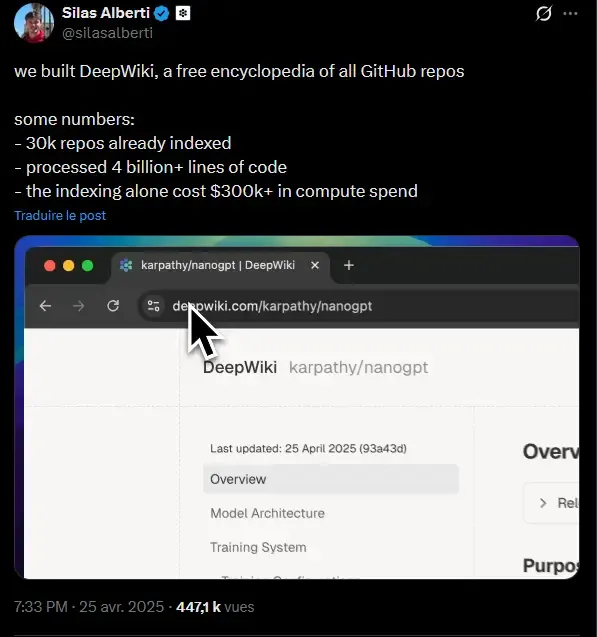
The stated goal? Create a “Wikipedia of code” to democratize understanding of open-source projects.
The catch? It’s a SaaS service. Free for public repos, but paid once you want to analyze private repos (you need a Devin account). And above all, your data passes through their servers.
The open-source alternative: DeepWiki-Open
That’s where AsyncFuncAI enters the scene, a small team that thought: “The concept is great, why not make an open-source version?”
In their README, they describe the project as “my own implementation attempt of DeepWiki” — their own attempt at implementation.
And the result is quite successful: over 12,800 stars on GitHub, an active community (Discord, regular contributions), and above all the ability to run everything at home.
The real differences with Cognition’s DeepWiki:
- You can self-host the solution
- You use your own API keys (OpenAI, Google, etc.)
- Or better: you can run 100% locally with Ollama — free, private, no data leaving your machine
It’s a beautiful illustration of what the open-source ecosystem can do: take an innovative concept and make it accessible to everyone.
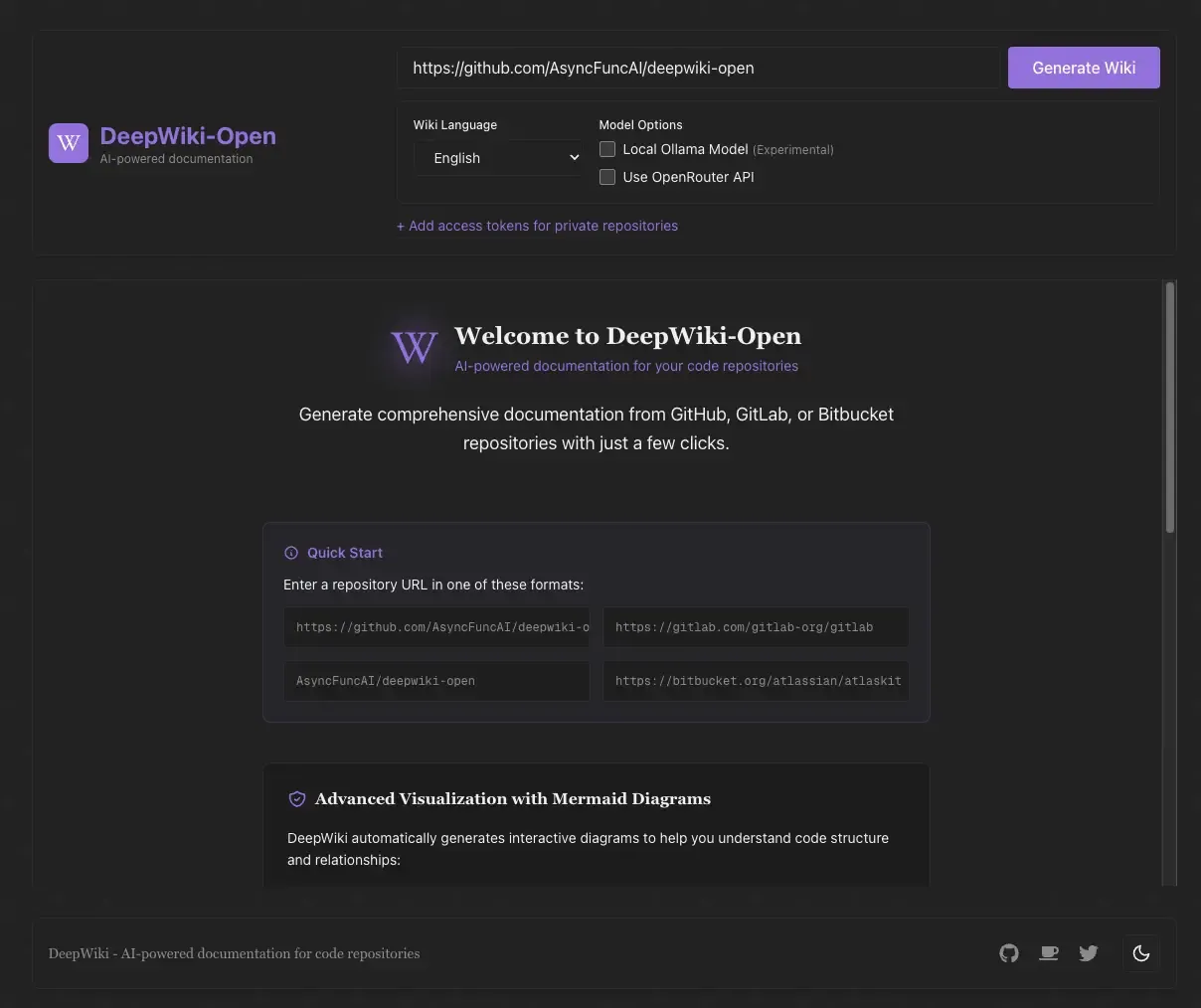
What is DeepWiki-Open exactly?
In summary
An automatic documentation generator for your Git repos, powered by AI, with an integrated chat interface to ask questions about the code.
How it works
The workflow is quite simple:
- You enter a repository URL (GitHub, GitLab, or Bitbucket)
- DeepWiki-Open clones the repo
- The AI analyzes the code and creates a kind of intelligent index that allows it to understand how each part of the project is connected to others
- It automatically determines the optimal wiki structure
- Each page is generated with context retrieved via RAG
- You can then chat with the code!
Main features
- Instant documentation: transforms any repo into a wiki in minutes
- Private repo support: via personal access tokens
- Automatic diagrams: Mermaid diagram generation to visualize architecture and data flow
- “Ask” function: a chat to ask questions about the code and get contextual answers
- “Deep Research” mode: for more in-depth analyses, with several automatic research iterations
Supported LLM providers
DeepWiki-Open is flexible on the AI model side:
| Provider | Models |
|---|---|
| Gemini 2.5 Flash, Pro, etc. | |
| OpenAI | GPT-4o, GPT-5, etc. |
| OpenRouter | Access to Claude, Llama, Mistral and many others |
| Azure OpenAI | For enterprise environments |
| Ollama | Local models (llama3, etc.) — 100% offline |
The ability to use Ollama is really interesting for those who want total control over their data.
Installation
Prerequisites
- Docker & Docker Compose
- Either: an API key (Google, OpenAI…) OR Ollama installed locally
Option 1: With cloud APIs
This is the fastest method to test. You just need a Google or OpenAI API key.
# Clone the repo
git clone https://github.com/AsyncFuncAI/deepwiki-open.git
cd deepwiki-open

# Create the .env file
echo "GOOGLE_API_KEY=your_google_key" > .env
echo "OPENAI_API_KEY=your_openai_key" >> .env

# Launch with Docker Compose
docker-compose up -d
And there you go, the interface is accessible at http://localhost:3000!
Option 2: 100% local with Ollama
If you want nothing to leave your machine:
# Configure for Ollama
echo "DEEPWIKI_EMBEDDER_TYPE=ollama" > .env
echo "OLLAMA_HOST=http://localhost:11434" >> .env

# Use the Docker image with integrated Ollama
docker build -f Dockerfile-ollama-local -t deepwiki-ollama .
docker run -p 8001:8001 -p 3000:3000 \
  -v ~/.adalflow:/root/.adalflow \
  deepwiki-ollama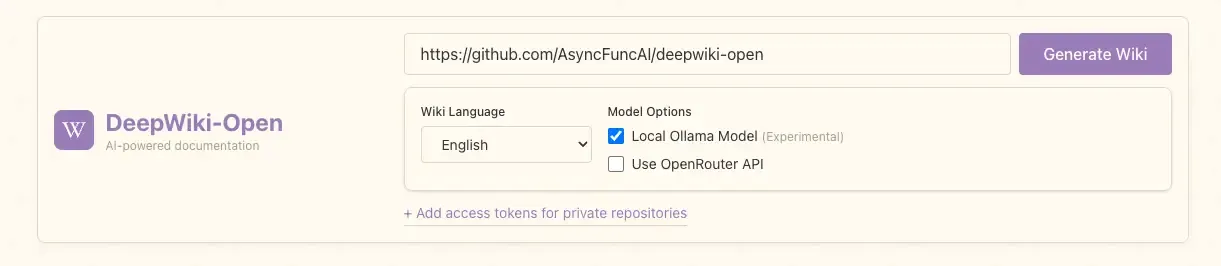
Why use DeepWiki-Open?
- Understand a new project before deploying or contributing to it — no more hours digging through poorly documented code
- Document your own projects without the hassle of writing manually
- Onboard someone on an existing codebase — you share the generated wiki and off you go
- Explore open-source projects to learn how they’re structured
- Analyze private/sensitive repos locally, without sending your code to third-party servers
Limitations
Let’s be honest, the tool isn’t perfect:
- Generation time: on large repos, it can take several minutes or more
- Variable quality: the generated doc depends heavily on source code quality — clean code = better doc
- Token cost: if you use cloud APIs on large projects, the bill can add up
- Local resources: with Ollama, you need a decent machine (GPU recommended)
- Not infallible: AI can sometimes misinterpret complex logic. Human review remains relevant for critical cases
Conclusion
DeepWiki-Open addresses a real problem: missing or outdated documentation in projects. Being able to run everything locally with Ollama is a real plus. The project is active, the community is growing, it’s clearly a tool to watch or even implement at home or in your company if it’s “AI-Friendly”!
If you’re looking for a solution to better understand projects you work on or discover, I recommend taking a look!
Useful links: